Soroban practice sheets for the exams, as PDF.
Before an exam there are never enough sheets to work through. Three bodies — Nisshuren, Zenshuren and Zenshugakuren — abacus and mental alike, from Dan on down. Every rebuild gives new questions, so the same grade can be taken again and again.
One free set a day · in-app purchases
Note: these practice problems are created independently by this app, based on the exam guidelines published by each association. They are not actual exam papers.
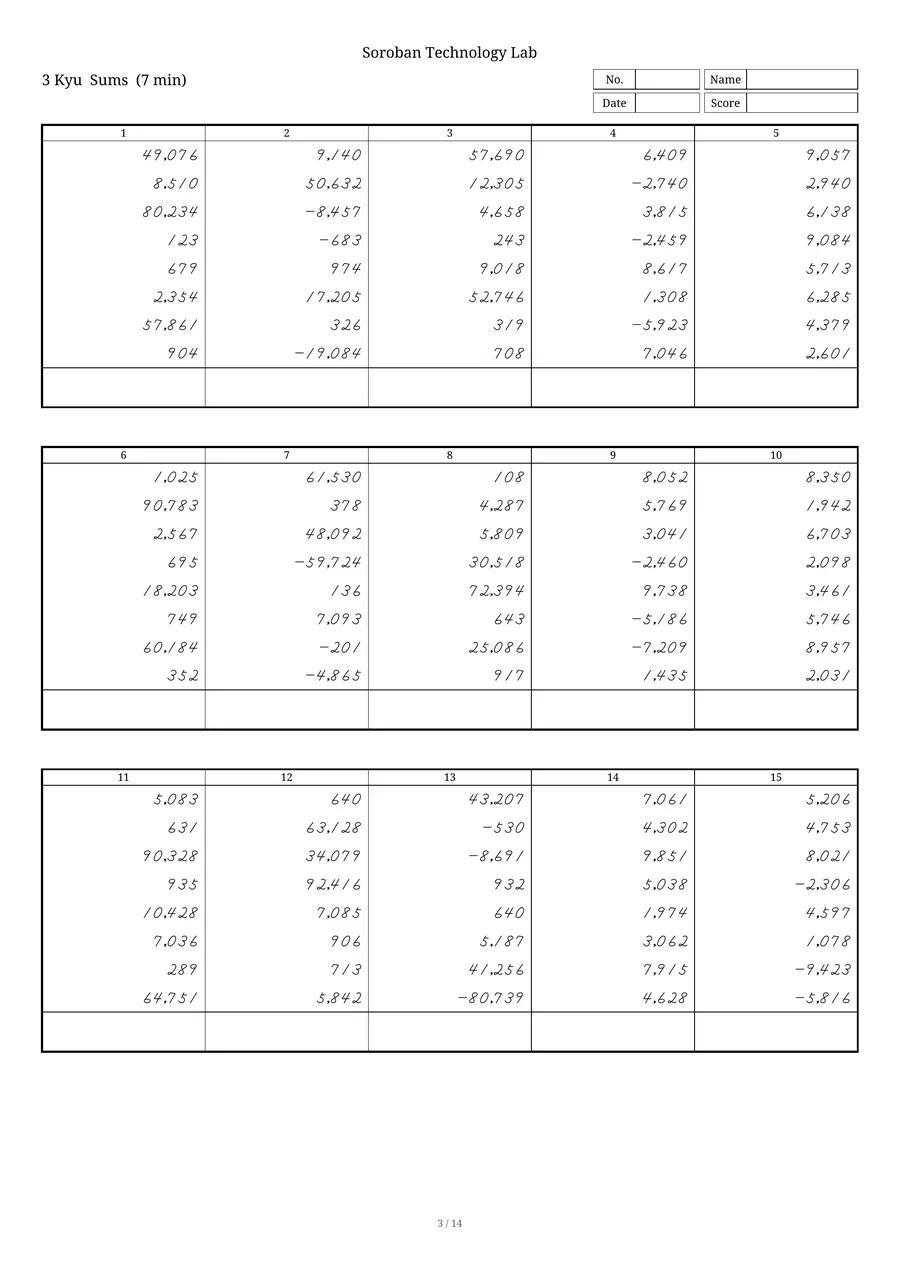
Use them in class or at home.
Every sample below was made with the app.
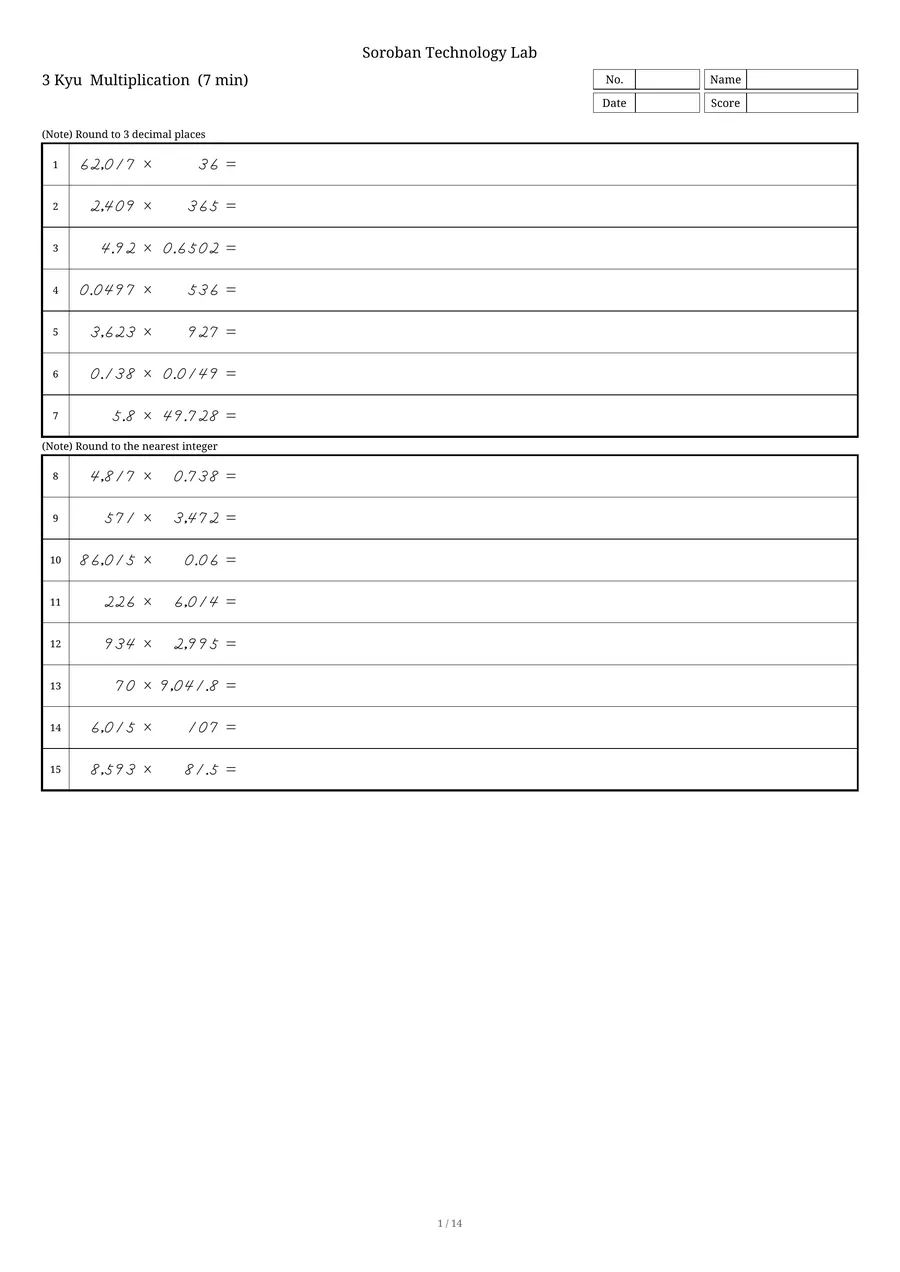
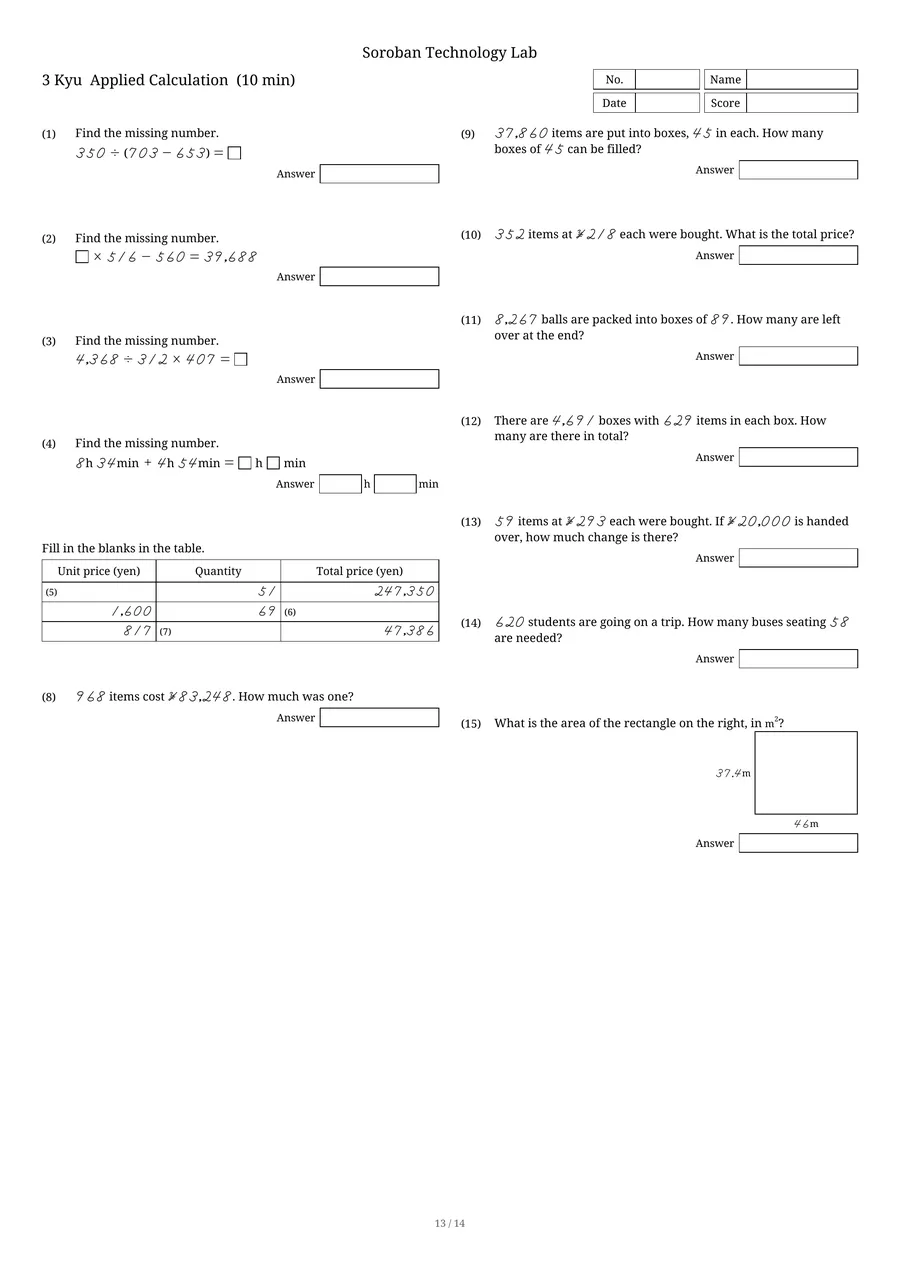
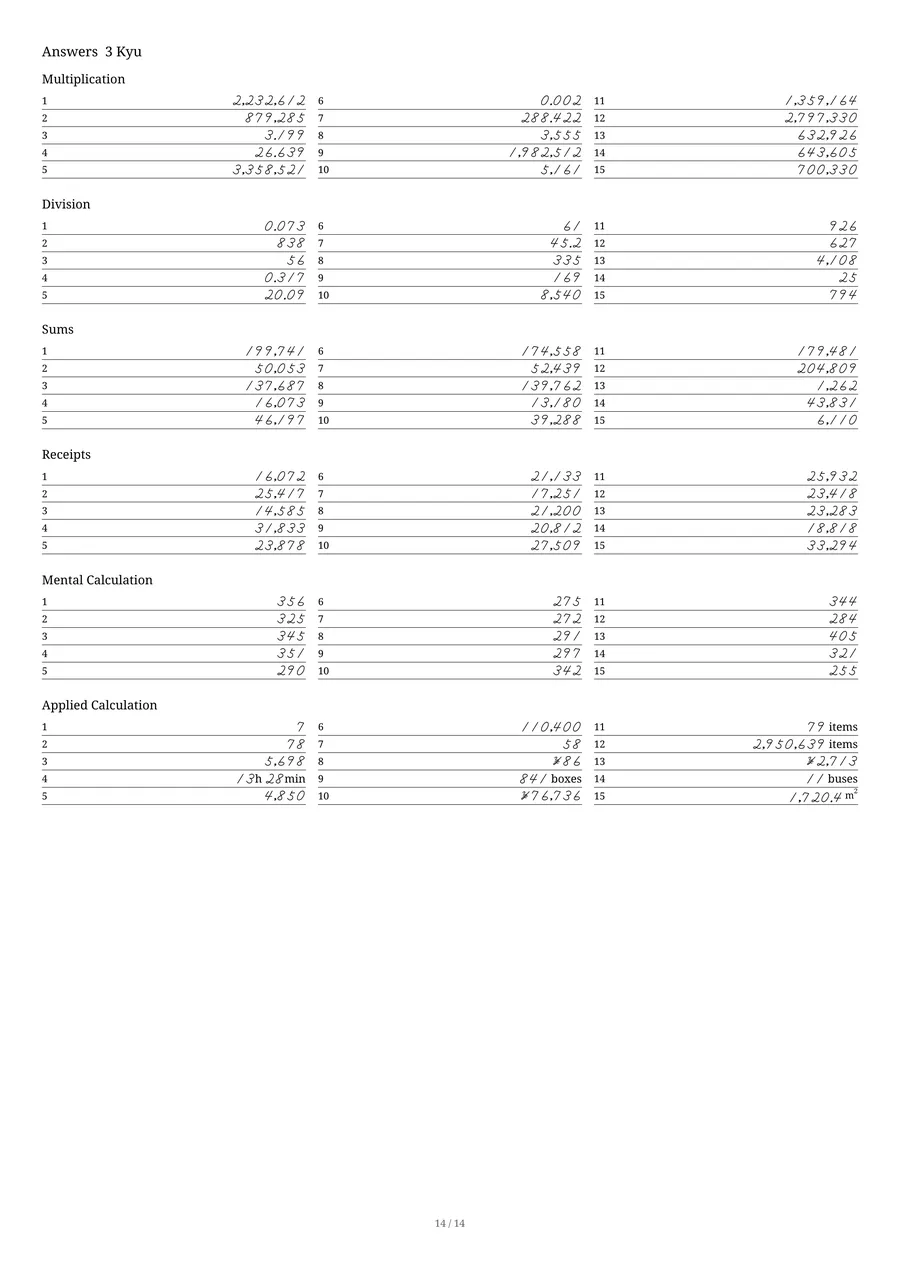
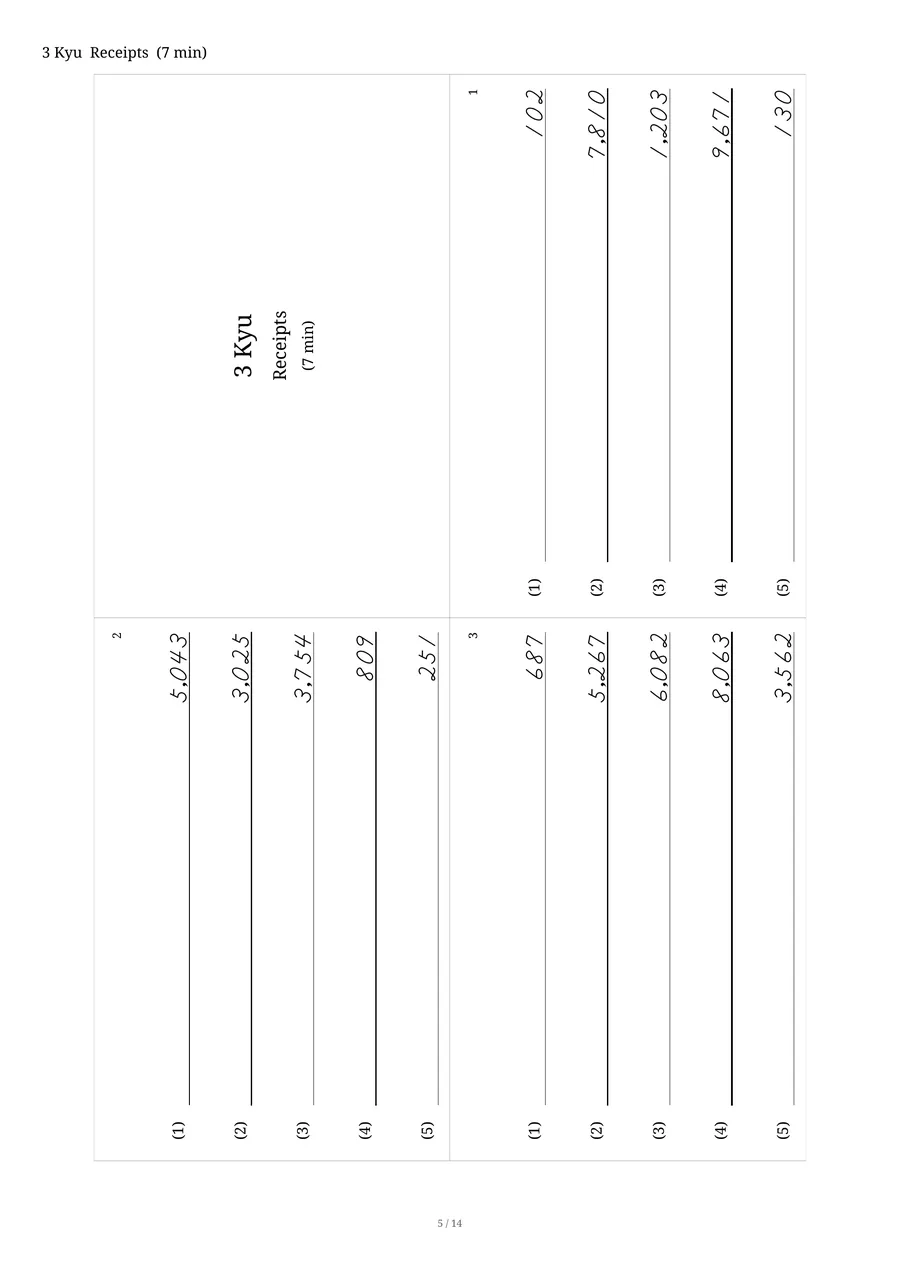
Pick the body and the grade, and the whole set comes out as a PDF.
The question count, the time limit and the order of the subjects are all fixed per grade. You do not have to assemble any of it. Choose, tap, and out comes a PDF ready to print.
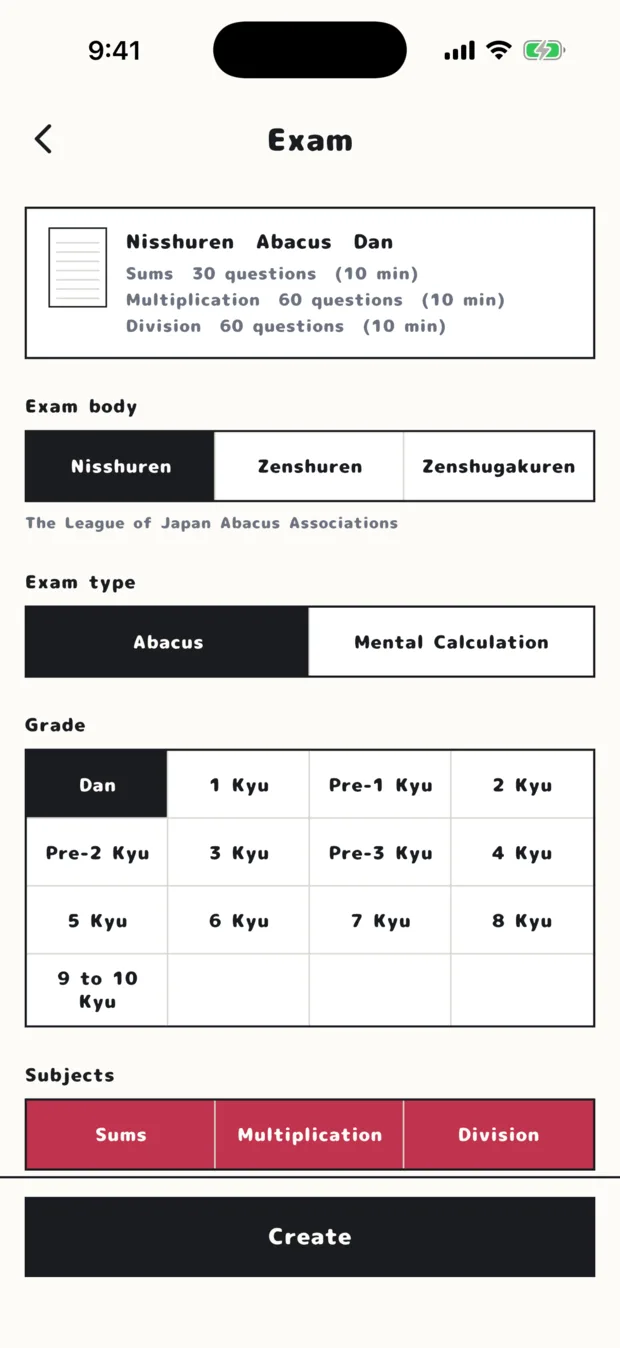
The exam screen (Nisshuren, Abacus, Dan)
Multiplication only, Mental Sums only — you can print just that.
Pick the exam body, the exam type, the grade and the subjects. A breakdown of what you have chosen sits at the top of the screen.
Subjects can be switched off. Gather only the weak spots and you can work through sheet after sheet of them.
| Exam body | Grades | Subjects |
|---|---|---|
| Nisshuren The League of Japan Abacus Associations |
Dan, Pre-1 to Pre-3 Kyu, 1 to 10 Kyu | Sums, Multiplication, Division / Mental Sums, Mental Multiplication, Mental Division |
| Zenshuren The League for Soroban Education of Japan |
Dan, 1 to 15 Kyu (mental: 1 to 10 Kyu) | Sums, Multiplication, Division, Receipts, Applied Calculation, Roots / Mental Sums, Mental Multiplication, Mental Division |
| Zenshugakuren Zenkoku Shuzan Gakko Renmei |
Dan, Pre-1 to Pre-3 Kyu, 1 to 10 Kyu | Sums, Multiplication, Division, Receipts / Mental Sums, Mental Multiplication, Mental Division |
Built around the printer you already have.
Paper size and answers are chosen each time you make a sheet. You can also make several sets at once, or add your school's name.
Print it and hand it out as it is.
Real exams are sometimes B4 or B5, which most home printers cannot take, so A4 is the default. The size used by the exam itself is also available.
Each sheet carries boxes for number, name, date and score across the top.
The free plan makes each kind of sheet once a day: the exam sheet, and each of the five topic sheets. The paid plan lifts that daily limit and lets you change the school name.
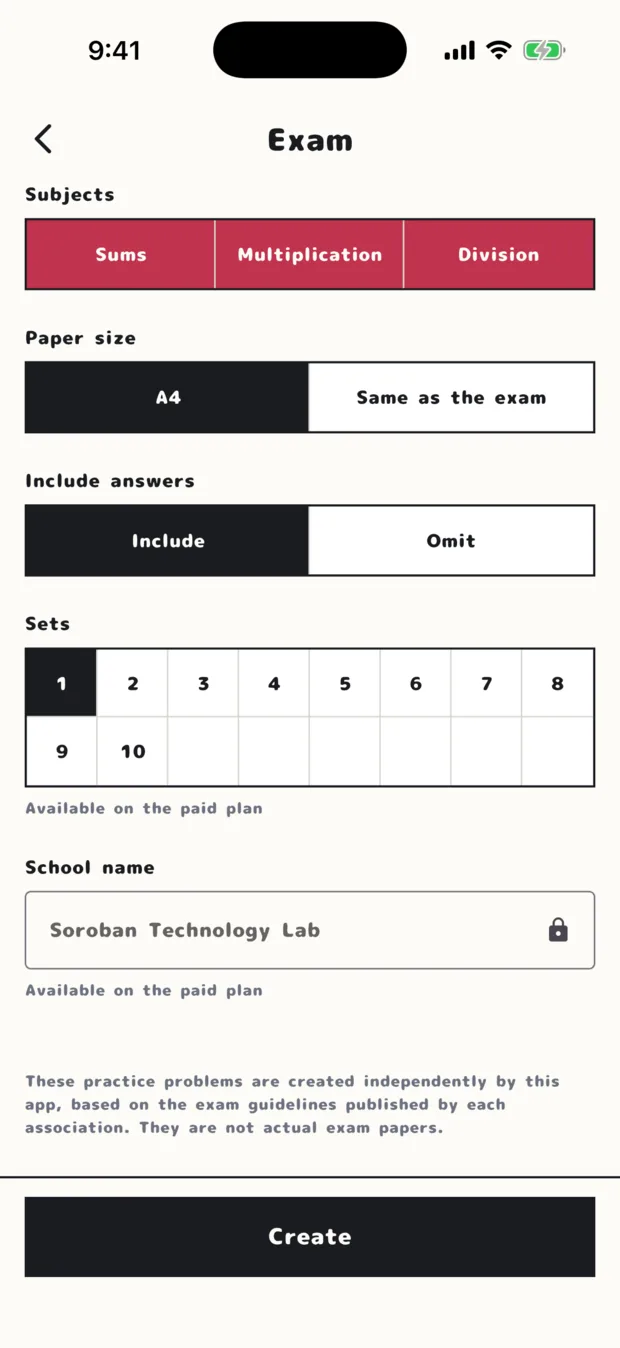
The lower half of the screen
The places people get stuck are nearly always the same.
Carries, revised quotients, rounding. Separately from the exam grades, you can print a sheet made up of just one of these topics.
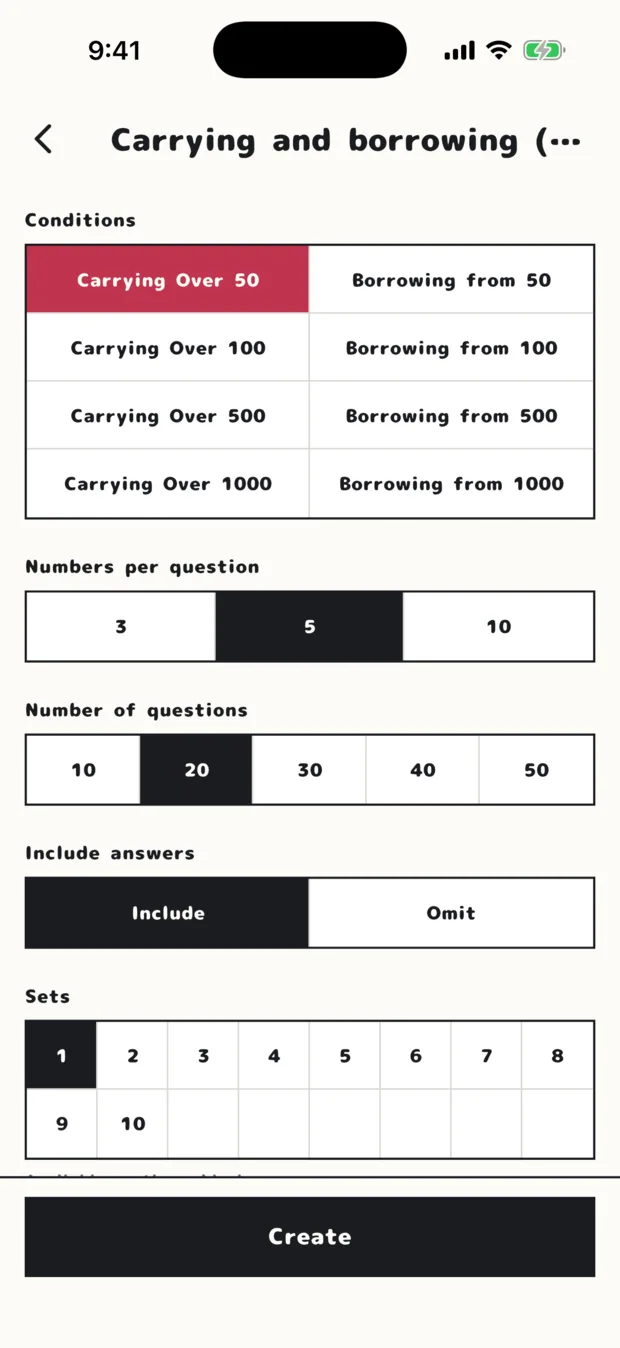
Carrying and borrowing (Sums)
Just the spot you are stuck on, as many sheets as you want.
For carrying, you can ask for only the calculations that cross 50, or only those that cross 1000. How many numbers each question takes, and how many questions a sheet holds, can be chosen for each kind of sheet too.
These sheets have no grade and no time limit, so the same topic can be repeated until it sticks.
In class and at home.
At a soroban school
- Print one per learner, grade by grade. Ask for several sets and they print together
- Print without the answers and keep the key to yourself
- Include the answers and marking can be finished in the room
- Switch to the exam's own paper size for the weeks before a test
At home
- Pick the grade being sat and you get the full set, laid out as that grade is
- The questions change every time, so the same grade can be practised again and again
- With the answer key, marking needs no adult
- For a weak spot, drill the topic sheet rather than the whole grade
Before you print.
Is it free?
Are these the real exam questions?
What paper size can it print on?
Will it keep giving me the same questions?
Can I print the answers separately?
Fresh questions for the same grade, every single time.
Pick the body and the grade. Once a day free, printable on A4.

