For abacus schools and tutoring centers

An account for every student.

We issue Sorobase IDs with every paid feature included for ¥500 (JPY) per account per month. Students can continue at home from exactly where they left off in class.

You can start with a single account and add more at any time
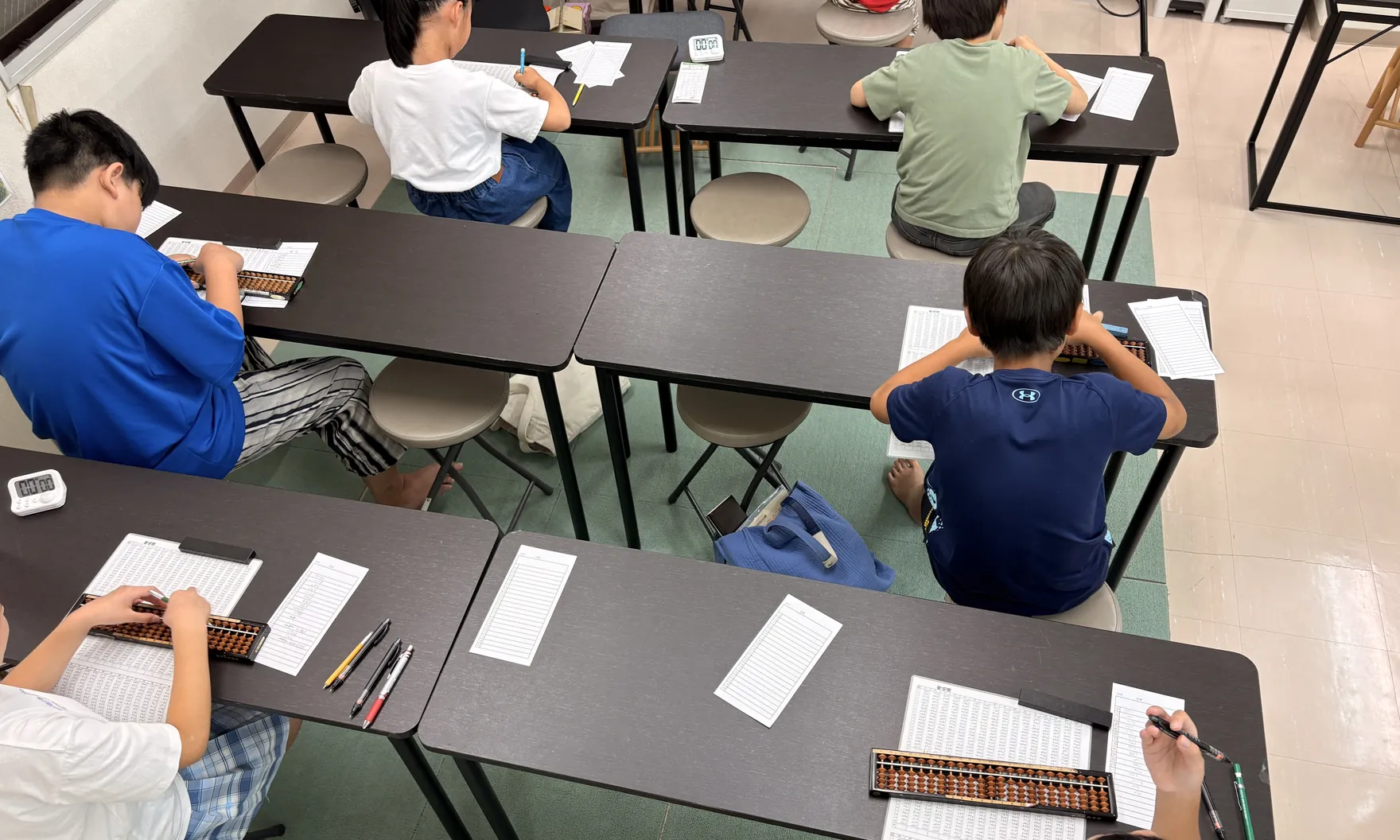
An abacus school: students at their own desks, each working with a worksheet and a soroban
Pricing

¥500 per account per month

All prices are in Japanese yen (JPY). From the 31st account onward, the fee is ¥250 per account per month.

Accounts 1–30
¥500
per account, per month (JPY)
From the 31st account
¥250
per account, per month (JPY)

Monthly fee examples

  • 10 accounts … ¥5,000
  • 30 accounts … ¥15,000
  • 50 accounts … ¥20,000 (30 × ¥500 + 20 × ¥250)

Payment is processed online through Stripe.

Key features

The same progress, in class and at home.

The full feature set of the paid plan

Includes lesson videos and practice for every stage, all Dojo levels, Create Worksheets (PDF), and custom Dictation of Sums problems, along with every other paid feature.

Progress shared between school and home

Learning progress is saved to each account. Students can resume on a smartphone at home exactly where they left off on the school tablet. The plan supports both homework assignments and whole-class instruction.

One device for multiple students

Because each student has an individual account, several students can share one device in turns. After signing in, each student starts at their current level.

Using the Dojo at your school

Your school name on worksheets

When creating worksheets, you can include your school name and the set number in the header. On the free plan, a fixed sample name is printed instead.

About Create Worksheets
Customization for your school

Lesson videos and fingering, tailored to your teaching.

The content of the app can be aligned with the way your school teaches.

Original lesson videos for your school

We deliver videos of your teachers demonstrating the bead movements to your students through dedicated school IDs. Support with filming and editing is also available.

Fingering checks aligned with your method

In lesson practice problems, if the beads are not moved in the prescribed order, the abacus resets and the student must start again. This order (the fingering) can be configured to match the technique taught at your school, so students practice at home with the same fingering they use in class.

Scope and pricing are quoted individually following a consultation.

How it works

From application to getting started

Application

Please submit your school name and the number of accounts required using the form on this page. We are also happy to answer questions while you are still evaluating the plan.

Soroban Portal instructions

Within 3 business days (Japan time), we will email you instructions for Soroban Portal, our management screen.

Issuance of IDs and passwords

Pay when you create your first accounts in Soroban Portal, and the IDs and passwords will be shown right away.

Getting started

In the app, open Settings, select “Sign In with Sorobase ID”, and enter the ID and password that were shown.

Apply or inquire

Application and inquiry form

If you have any questions before applying, please select “Inquiry”. Submitting an inquiry does not constitute an application.

Type of request

A confirmation of receipt will be sent to this address.

Generally one per student. Please include any teachers who will also use the app. The number of accounts can be changed later.

Inquiries are also welcome by email at support@sicorp.jp

Frequently asked questions

Questions about getting started

Can the number of accounts be changed later?
Yes. In Soroban Portal, you can create, disable and re-enable accounts at any time. Added accounts are charged pro rata from their start date to the day before your next renewal date, and billed together with your next monthly fee. If you disable accounts, the fee for the current period does not change, and the fee for the reduced number of accounts applies from your next renewal date. For details, please see the Terms.
Do teachers need their own accounts?
Not necessarily. Accounts can be used by teachers and students alike. If teachers will also use the app, please include them in your application. At present, teacher and student accounts have the same features, and both can use all paid features. We plan to add features for teachers in the future.
Is a tablet required for every student?
No. Because each student has an individual account, several students can share one device in turns. After signing in, each student starts at their current level.
What payment methods are available?
Payment is made online through Stripe, by credit card, Apple Pay, Google Pay, or Link. You pay on Stripe’s payment page when you create your first accounts in Soroban Portal. Card details are handled on Stripe’s payment page; we do not store or have access to them.
Can schools outside Japan apply?
Yes. Prices are in Japanese yen, and payment is made through Stripe. The app is available in 11 languages.
Can we evaluate the app before applying?
The app is free to download, and the free plan lets you try the opening part of each mode. To trial the paid features in class, you can apply for a single account.
Are there setup fees or a minimum contract period?
Neither. Your plan renews automatically every month, based on the date of your first payment.
How do we cancel?
Apply from “Billing & cancellation” in Soroban Portal. The plan will end on your next renewal date, and you can continue to use the app until then. You can withdraw your cancellation request up to the day before your next renewal date. Fees for periods already paid are not refunded.
Can the app be used on a computer?
The app runs on smartphones and tablets; computers are not supported. You can manage accounts from a web browser on a computer in Soroban Portal, our management screen.
Can teachers check their students’ progress?
By signing in to each student’s account, you can check their progress in the lessons, their Dojo level, the days they practiced, and more. We plan to add a feature to Soroban Portal for checking all students’ progress in one place.
Can we hide features our school does not use?
Yes. From app version 7.0, the features your school turns off in “School settings” in Soroban Portal no longer appear in the app menu for your school’s accounts.
Can each student choose their own language?
Yes. The language can be changed at any time in the app’s Settings, and is saved on each device. Students at the same school can use different languages, such as Japanese and English. When students share a device, the student using it can switch the language.
Can the speed and numbers per question in Dictation of Sums be adjusted for each student?
Yes. In “Create Dictation of Sums”, you can freely set the speed, numbers per question, and digits to create questions that match each student’s level. In the Dojo’s Dictation of Sums and Dictation of Mental Sums, students first take the “AI level check”, and questions at a suitable level are then set automatically.
Where can we find our IDs and passwords?
They are shown on the Soroban Portal screen when you create accounts. Passwords cannot be shown again after you close the screen, so save them before closing. If you forget a password, you can change it to a new one in Soroban Portal.